How to Start a Print on Demand Store in 2026

Starting a print on demand business sounds simple at first.
Create a design, place it on a product, upload it to a website, and start selling.
But once you begin, the process becomes much bigger. You need to select a niche, plan products, create print-ready artwork, build mockups, set up your store, connect a fulfillment provider, configure shipping, write product pages, test orders, and prepare a marketing plan.
This guide explains how to start a print on demand store step by step, from the first niche idea to a complete store that is ready to promote.
What Is a Print on Demand Store?
A print on demand store sells products that are produced only after a customer places an order.
You create the design and choose the product. Your print on demand supplier handles production, packaging, and shipping. This means you do not need to purchase a large amount of inventory or operate your own warehouse before launching.
Customer orders → Store sends order to supplier → Supplier prints product → Supplier ships to customer
Common print on demand products include:
- T-shirts and hoodies
- Mugs and drinkware
- Tote bags
- Posters and wall art
- Phone cases
- Stickers
- Hats and caps
- Journals
- Baby products
- Pet products
POD is not limited to apparel. The best products depend on your niche, audience, pricing, product quality, and shipping coverage.
How to Start a Print on Demand Store in 9 Steps
1. Choose a Clear POD Niche

A broad store usually struggles to communicate who it is for.
For example:
- Too broad: Pet lovers
- Clearer: Dog moms
- More focused: Funny golden retriever mom gifts
A focused niche makes it easier to choose products, create designs, write product descriptions, produce social content, and target potential buyers.
Current POD guides from Printify and Shopify also place niche selection near the beginning of the launch process.
A useful niche should have:
- A recognizable audience
- Shared interests or identity
- Emotional or gift-buying potential
- Several possible product ideas
- Enough content opportunities for marketing
Good niche categories can include pets, professions, hobbies, fitness communities, family identities, faith, local pride, sports, and lifestyle interests.
Do not choose a niche only because it appears popular. Choose one you can turn into a focused product collection and recognizable brand.
2. Define Your Target Customer
Your niche tells you the market. Your customer profile tells you exactly who you are building for.
Ask:
- Who will buy these products?
- Are they buying for themselves or as gifts?
- What language and humor do they relate to?
- Which products do they use regularly?
- Where do they spend time online?
- What would make them feel that a product was created specifically for them?
A store for “teachers” could speak to classroom teachers generally. A clearer version might focus on kindergarten teachers, special education teachers, new teachers, or teachers who enjoy a particular style of humor.
The clearer your audience becomes, the easier the rest of your print on demand store setup will be.
3. Choose Products That Fit the Audience
Do not upload every product available from your supplier.
Start with a focused collection your audience would realistically use, wear, display, or give as a gift.
For example:
Pet niche
- T-shirts
- Mugs
- Stickers
- Tote bags
- Phone cases
- Pet-owner gifts
Teacher niche
- Tote bags
- Mugs
- Shirts
- Classroom posters
- Stickers
- Journals
Fitness niche
- T-shirts
- Hoodies
- Caps
- Water bottles
- Gym bags
Shopify describes print on demand as a model that can be applied to many customized everyday products, while its current product guide recommends evaluating products based on customer interest and store positioning.
Start with enough products to make the store feel complete, but not so many that your catalog becomes random or difficult to manage.
4. Create Print-Ready Designs

Your artwork needs to do more than look attractive on a computer screen.
It should:
- Match the niche
- Be easy to understand
- Use readable typography
- Have suitable contrast
- Fit the product’s print area
- Work on the selected product colors
- Meet the supplier’s file requirements
Do not automatically place the same artwork on every product.
A design created for the front of a T-shirt may need a different composition for a mug, phone case, tote bag, or poster. Each product has a different shape, printable area, and viewing distance.
Before publishing, review:
- File dimensions
- Resolution
- Transparent background
- Color contrast
- Artwork placement
- Safe print area
- Product-specific requirements
Retail-ready design creation is one of the core steps identified in current Printify and Printful POD launch guides.
5. Choose a Print on Demand Supplier
Your supplier affects product quality, production, shipping, available products, branding options, integrations, and profit margin.
When comparing suppliers, check:
- Product selection
- Base product cost
- Print quality
- Production locations
- Shipping countries
- Delivery estimates
- Branding options
- Store integrations
- Customer support
- Replacement and return policies
Do not select a supplier based only on the lowest product cost.
A cheaper product may become more expensive after shipping. Slow delivery or inconsistent quality can also damage customer trust and create more support requests.
Printify, Printful, Gelato, and other providers offer different mixes of product variety, fulfillment coverage, branding, and integrations. Current platform guides recommend comparing providers based on your specific products, customer locations, and operational needs.
Ordering samples is also valuable. It lets you check the physical product, print quality, sizing, packaging, and delivery experience before customers receive it.
6. Choose Where to Sell
You can build an independent ecommerce store, sell through a marketplace, or use both.
Independent online store
An independent store gives you more control over:
- Branding
- Page design
- Customer experience
- Email collection
- Product organization
- Marketing pixels
- Upsells and promotions
Marketplace
A marketplace may provide existing traffic, but you have less control over presentation, customer relationships, and platform policies.
Your choice should depend on your budget, audience, technical comfort, marketing strategy, and long-term brand goals.
For sellers asking how to build a POD store that feels like a real brand, an independent ecommerce website usually provides more freedom over the visual identity and shopping experience.
7. Build Your POD Store
A professional store is not only a homepage with products.
At minimum, your website should include:
- Homepage
- Product pages
- Collection pages
- About page
- Contact page
- Frequently asked questions
- Shipping policy
- Return or refund policy
- Privacy policy
- Terms and conditions
Homepage essentials
Your homepage should quickly communicate:
- Who the store is for
- What you sell
- What makes the brand different
- Which collections visitors should explore
- Why customers should trust you
- What action visitors should take next
Product page essentials
Every product page should include:
- Clear product title
- High-quality mockups
- Product description
- Available sizes or variants
- Size guide where relevant
- Material and care details
- Production and shipping information
- Return information
- Clear add-to-cart button
Navigation essentials
Keep the menu simple.
Organize products by useful categories, not internal terms customers may not understand. Visitors should be able to find products, shipping information, policies, contact details, and their cart without searching through multiple menus.
8. Create Professional Product Mockups
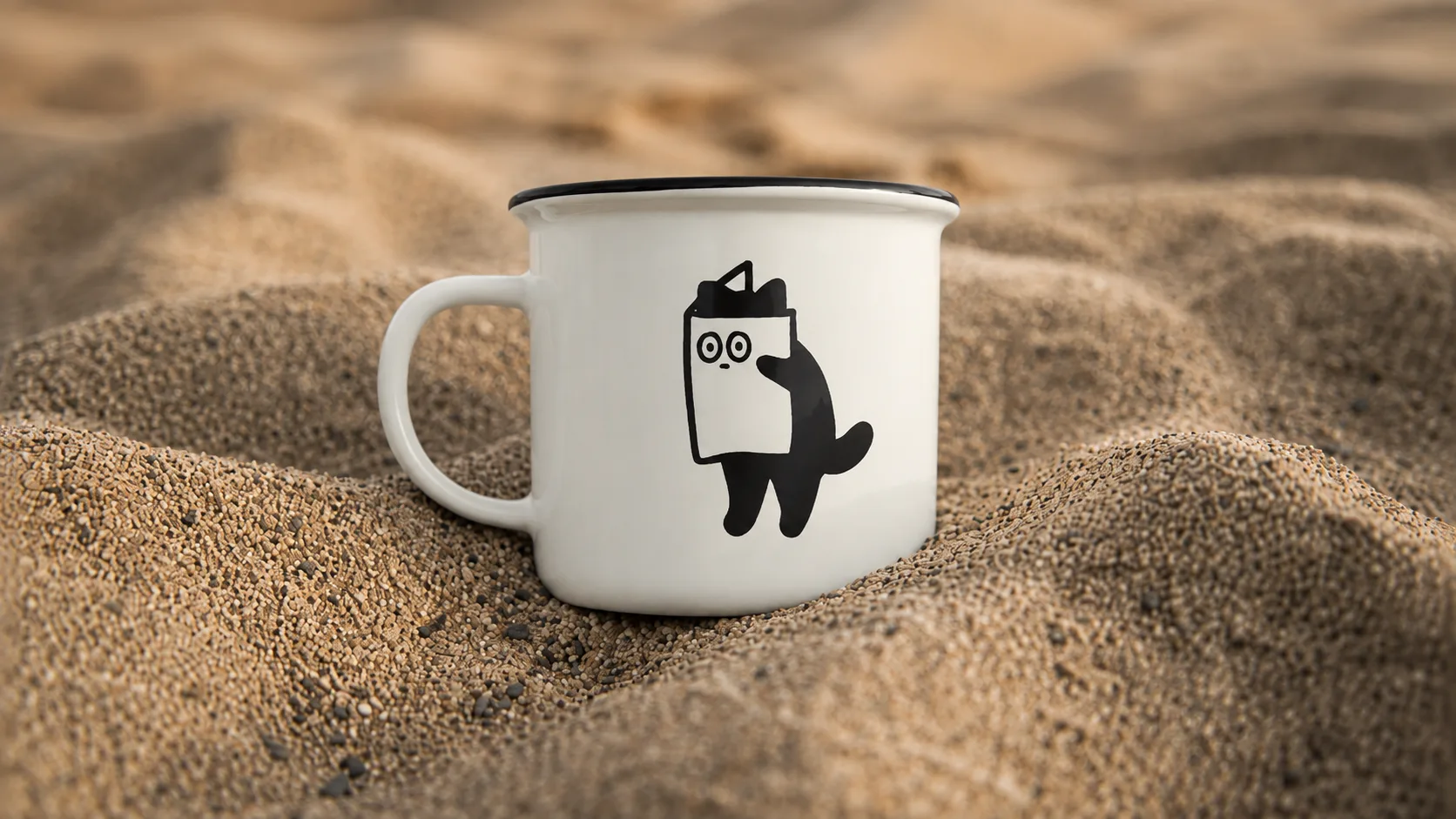
Customers cannot touch or inspect POD products online. They judge the product through the images.
Supplier-generated mockups can be useful, but using only generic flat mockups may make your store look similar to hundreds of competitors.
A strong product image should:
- Show the product clearly
- Make the artwork easy to see
- Match the niche and visual identity
- Show useful scale or context
- Feel consistent with other products
- Help shoppers imagine using or wearing it
Use a combination of:
- Clean product mockups
- Lifestyle images
- Close-up artwork views
- Product detail images
- Size or feature graphics
- Alternate colors and angles
Your mockups should remain realistic. Do not present details, colors, materials, or product features that the customer will not receive.
9. Upload Products and Connect Fulfillment
Product upload is where many POD stores become disorganized.
For every listing, prepare:
- Product name
- Product description
- Images
- Price
- Sizes
- Colors
- Variants
- Product tags
- Collections
- Search title
- Meta description
- Supplier connection
After connecting the supplier, confirm that:
- Every product is synced
- The correct variant is connected
- Artwork placement is correct
- Retail pricing is correct
- Shipping settings are active
- Payment settings are ready
- Order notifications work
- Policies are published
The fulfillment connection allows eligible orders to move from your store to the POD supplier for production and delivery. Automation is a central part of the POD model, but the setup should still be checked before launch.
Place a test order before promoting the store. Review the checkout, payment, order sync, customer emails, supplier dashboard, and shipping workflow.
How to Price Your POD Products
Revenue is not the same as profit.
Your selling price needs to account for:
- Supplier product cost
- Printing cost
- Shipping
- Transaction fees
- Store subscription
- Paid applications
- Discounts
- Returns or replacements
- Advertising cost
- Your desired profit
A simple starting formula is:
Selling price − product cost − shipping − platform fees − marketing cost = estimated profit
Do not copy a competitor’s price without calculating your own costs.
Pricing too low may create sales without enough profit to support advertising, customer service, replacements, store tools, and future product development.
How to Launch a Print on Demand Store

Do not treat launch day as the first time anyone hears about your brand.
Prepare content before the store goes live.
Your launch plan may include:
- Brand introduction posts
- Product previews
- Behind-the-scenes design content
- Niche-focused educational posts
- Short product videos
- Email signup offer
- Launch announcement
- Creator or influencer outreach
- Retargeting setup
- Small advertising tests
Printful’s current beginner guide emphasizes that marketing is not simply the final task. It is how a store attracts customers and develops into a sustainable brand. It recommends content, search visibility, and controlled testing across channels such as Meta and Google.
Start with a small number of products and campaigns. Measure what people click, add to cart, and purchase before scaling.
Common POD Store Setup Mistakes
Building for everyone
A store without a clear audience usually produces generic products and weak messaging.
Uploading random products
More products do not automatically create a better store. A focused collection is easier to understand and promote.
Using weak mockups
Good artwork can still look low-value when presented through poor product images.
Ignoring mobile users
Check every important page on a phone. Navigation, product images, product options, and checkout should all be easy to use.
Running ads too early
Paid traffic cannot fix unclear positioning, incomplete pages, poor mockups, confusing shipping, or a broken checkout.
Skipping samples and testing
A digital mockup cannot confirm physical quality, color, fit, packaging, or delivery experience.
Expecting automatic sales
POD reduces inventory risk, but it does not remove the need for testing, marketing, customer service, and consistent work. Printify and Printful both emphasize patience, testing, and ongoing promotion when building a POD business.
How Much Work Does a POD Launch Require?
Learning how to start a POD business is not difficult because of one complicated task.
It is difficult because many smaller tasks need to work together:
Niche → Products → Designs → Mockups → Store → Uploads → Fulfillment → Testing → Marketing
You can handle these tasks yourself, hire separate freelancers, or work with a specialized print on demand agency.
The right option depends on your:
- Available time
- Skills
- Budget
- Launch deadline
- Product volume
- Need for ongoing support
Working with separate freelancers can give you flexibility, but it also means coordinating designers, mockup creators, developers, product upload assistants, and technical support.
A specialized agency can bring these steps into one structured process.
You Bring The Niche.
We Build The Store.
You may already have the niche and product idea but lack the time or team to complete the execution. Set Up My POD helps new and existing sellers with:
You focus on sales, content, advertising, and growth. Our team helps handle the creative, technical, and operational work behind the store.
Frequently Asked Questions
- How do I start a print on demand store?
- Choose a clear niche, define your audience, select products, create print-ready designs, choose a POD supplier, build your online store, create mockups, upload products, connect fulfillment, test the order process, and prepare your marketing.
- How much inventory do I need to start a POD business?
- The POD model does not require you to purchase bulk inventory before selling. Products are generally produced after a customer orders. You may still need a budget for samples, store tools, design work, applications, and marketing.
- How many products should I launch with?
- There is no universal number. Start with a focused collection that makes the store feel complete without becoming random or difficult to manage.
- Do I need professional designs?
- Your artwork should be original, niche-relevant, and correctly prepared for the supplier’s print requirements. You can create it yourself or hire a POD design service.
- Can I start a print on demand store without being a designer?
- Yes. You can work with designers or a specialized POD agency for artwork, mockups, product setup, and store development.
- Is launching the store enough to generate sales?
- No. A completed store gives you a foundation. Sales still depend on the niche, products, pricing, visuals, offer, customer experience, traffic, content, and marketing.
Final Checklist
Before you launch your print on demand store, confirm that:
- Your niche and audience are clear
- Products fit the audience
- Artwork is print-ready
- Mockups look professional
- Store pages are complete
- Navigation is simple
- Products and variants are accurate
- Supplier integration works
- Shipping and policies are clear
- Checkout has been tested
- Analytics are installed
- Launch content is ready
A successful print on demand store setup is not about uploading the largest possible catalog. It is about creating a focused brand, presenting products professionally, building a reliable order process, and giving the right audience a clear reason to buy.